


AMS
One unified admin portal for inventory tracking, procurement and support tickets — designed end-to-end for Admin and Super Admin roles in 3 months.
Turning spreadsheet chaos into one source of truth for every asset
IT teams were running company-wide asset operations on spreadsheets and email threads. In 3 months I took the Asset Management Portal from problem framing to a shipped, high-fidelity product — unifying inventory, help desk and procurement for the Admin and Super Admin teams who run it every day.
Fragmented systems & manual chaos
IT Managers are overwhelmed. Relying on disparate spreadsheets for inventory and email threads for support tickets creates a bottleneck that costs time and money — assets lost due to lack of tracking, delayed onboarding for new employees, and high stress from constant reconciliation.
Unified intelligence & automated flow
A centralized Asset Management Portal that integrates inventory tracking with a help desk system — real-time visibility into global stock, automated workflows for approvals, and a unified dashboard for asset health and costs.
Spreadsheets were the system of record
5 IT-manager interviews and 20+ employee surveys mapped the real cost of the status quo.
Lack of visibility is the root cause of both inventory loss and procurement delays.
“I dread the end of the month. I have to physically walk around the office to check if people still have the monitors assigned to them.”
“When my laptop broke, I had to email three different people. I didn’t know the status for a week. It was frustrating.”
What the portal had to do
Four outcomes shaped every decision — each paired with the measure that would prove it, written before the first screen existed.
Real-time visibility
One source of truth for every physical and digital asset across the company.
Automated flow
Approvals, procurement and support tickets — without a single email thread.
Faster onboarding
New joiners equipped on day one, with no reconciliation delays.
Auditable operations
An always-on trail that replaces month-end manual asset checks.
How we got there
From first interview to shipped portal — the path in five moves.
Research
Sat with IT managers and employees to map the real cost of spreadsheets.
5 interviews · 20+ surveysInsight
Synthesised every pain down to one root cause: no shared visibility.
1 root causeDecisions
Placed four structural bets — each against a cheaper alternative.
4 betsPrototype & test
Walked managers through it — and let testing kill the first dashboard.
2 dashboard versionsShip
High-fidelity portal, module by module, on a shared design system.
8 modules shippedFour decisions carried the design
Each one had a cheaper alternative — and a reason that alternative would have failed Suresh.
One portal, not three tools
Separate inventory, help-desk and procurement modules — faster to build, easier to scope.
A single information architecture. Lack of visibility was the root cause — and visibility dies at tool boundaries.
A guided request, not a free-text ticket
A classic help-desk ticket with a description box — familiar, zero learning curve.
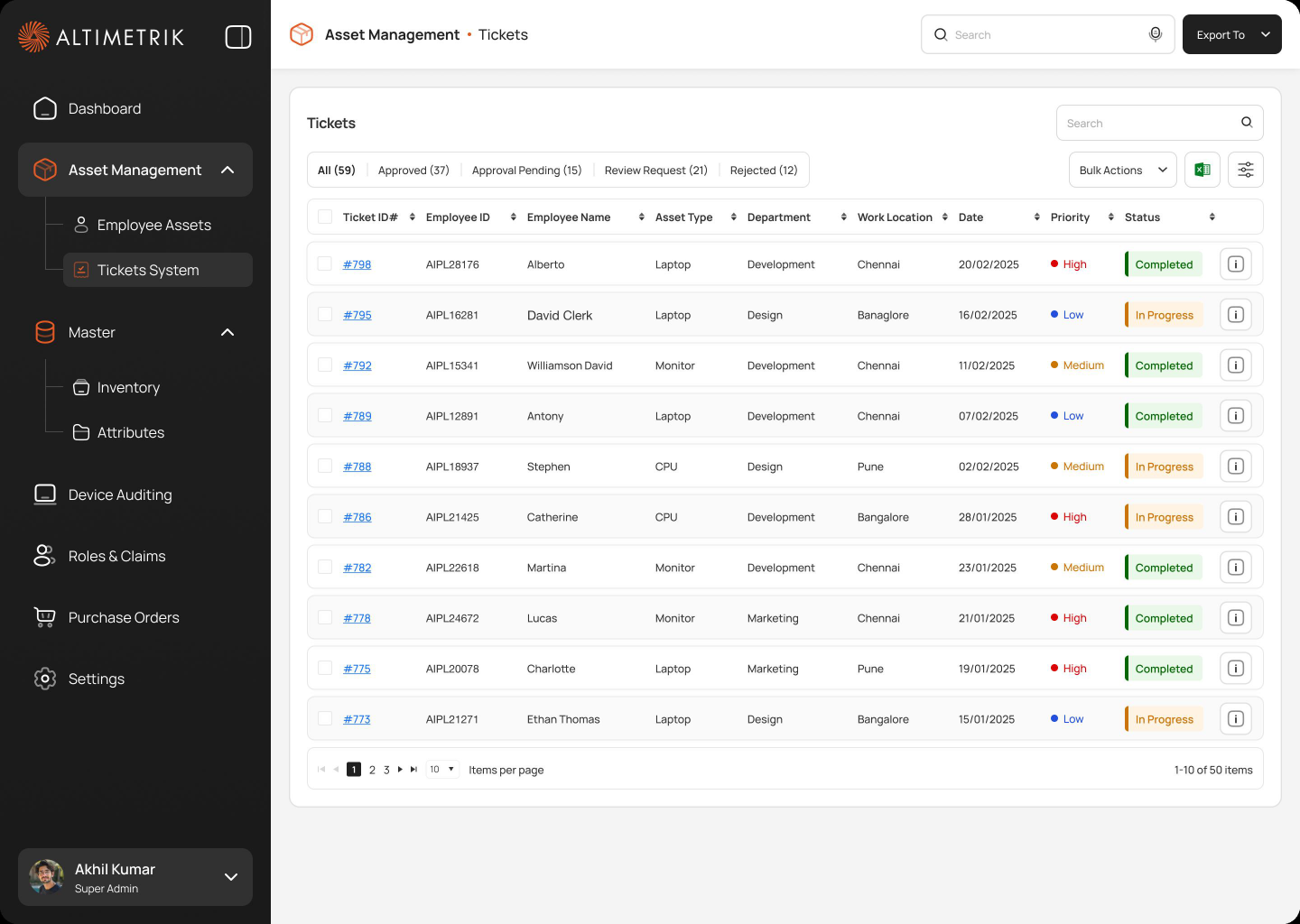
A structured form with a branching approval path — standardised data powers automation and audit trails.
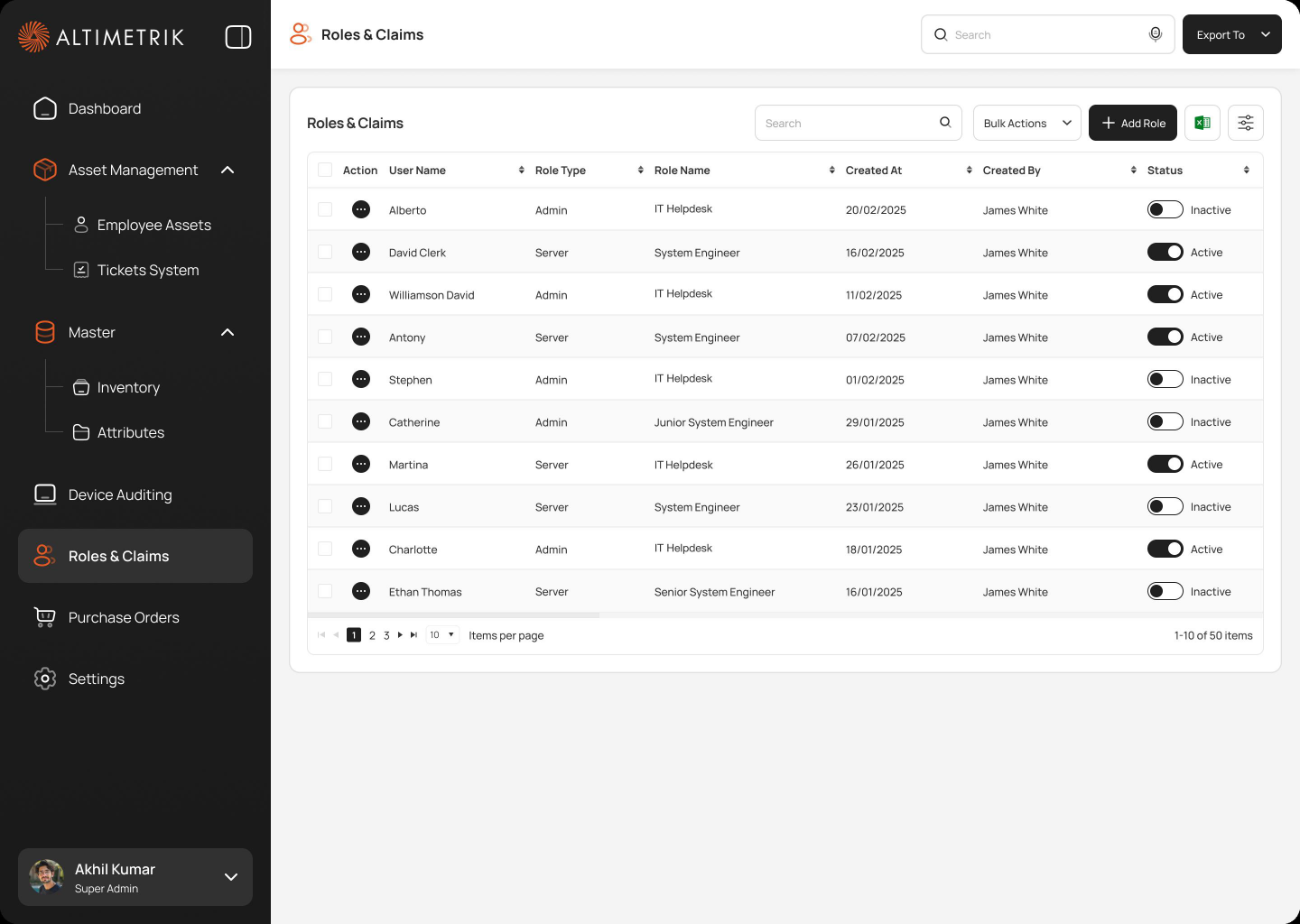
Roles & claims, not per-user toggles
Granular per-user permissions for maximum flexibility.
Two roles with claims on sensitive actions — predictable, auditable, explainable at company scale.
Flexible attributes, not fixed asset types
Hard-coded schemas per device category — simpler forms, faster to design.
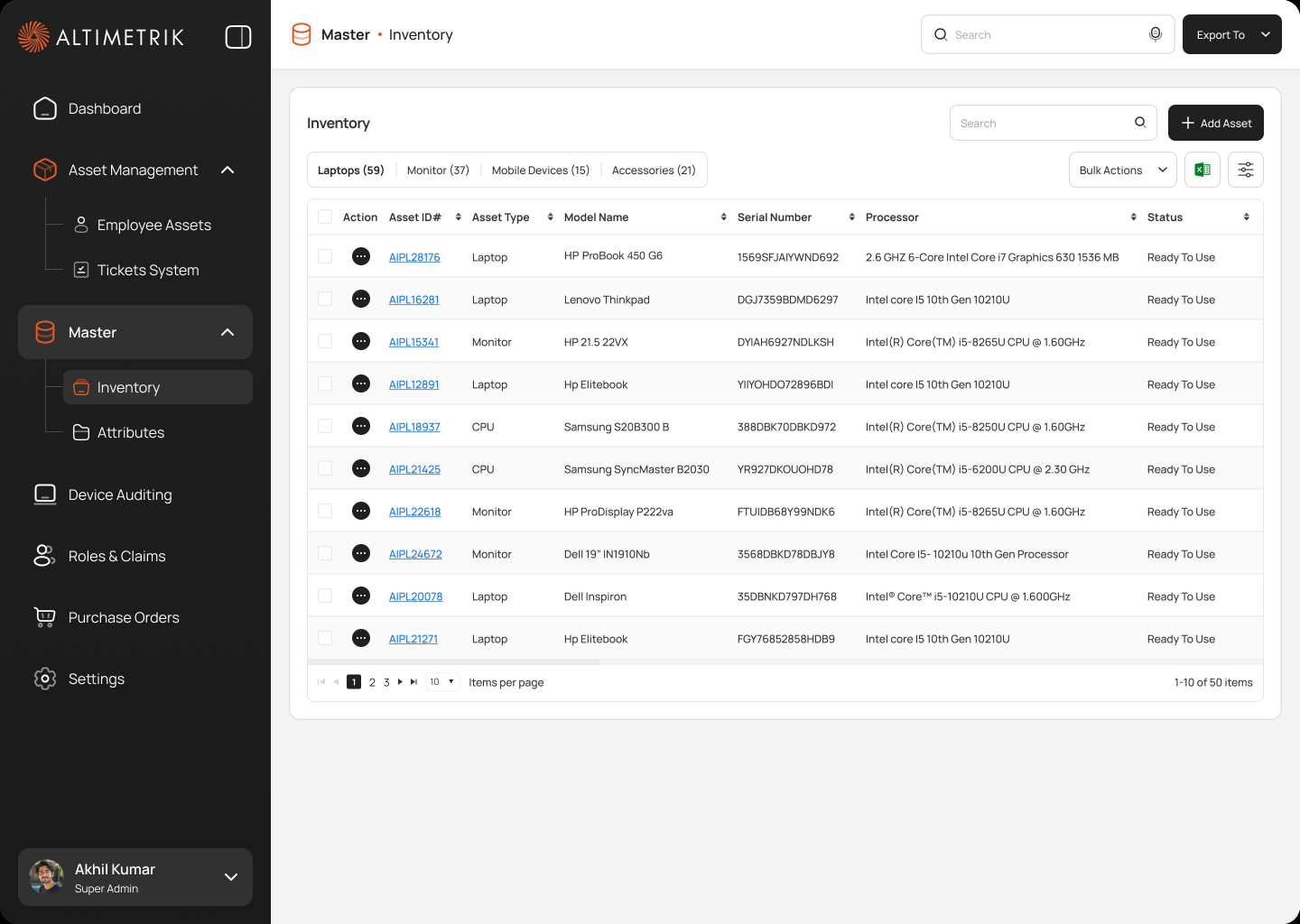
Custom attributes — any hardware, software or licence fits without an engineering request.
The dashboard that didn’t survive testing
Walkthroughs with IT managers killed the first concept — and reshaped every module after it.
Chart-first dashboard
Led with asset value, category splits and trends. Managers scanned straight past it — nobody opened the portal to admire a chart.
Exception-first command view
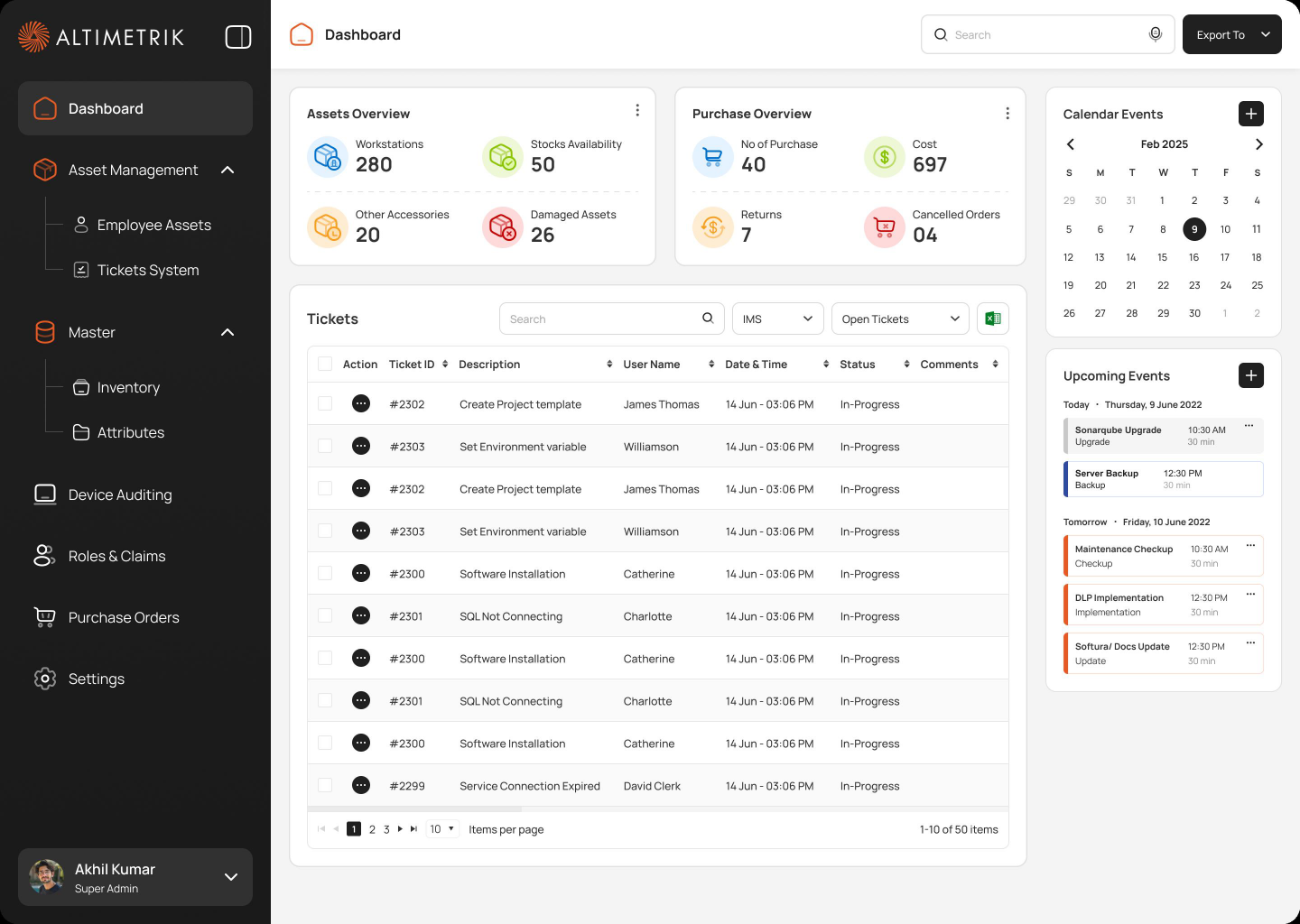
Leads with action queues — pending approvals, low stock, overdue audits — with health and cost charts one glance below.
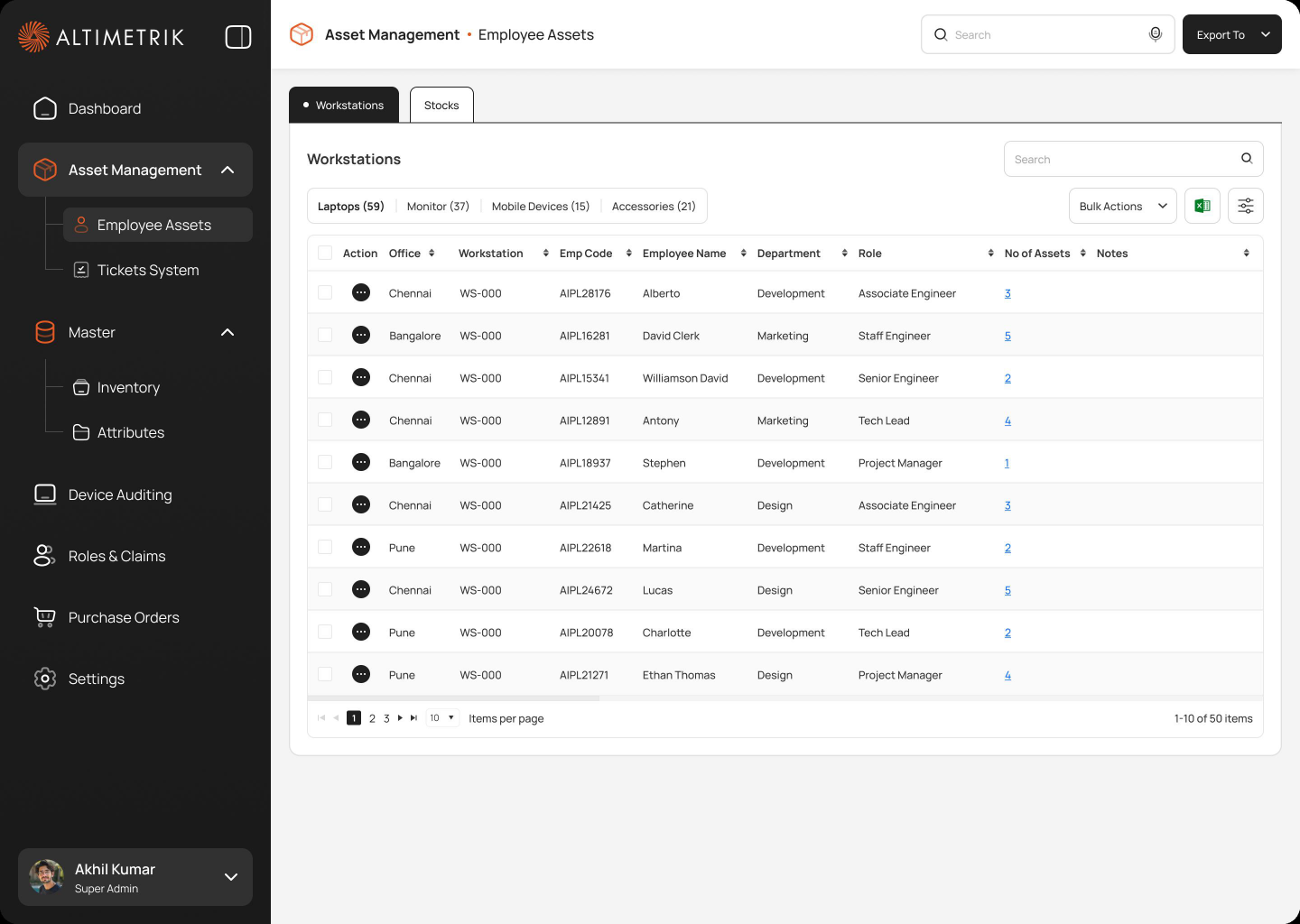
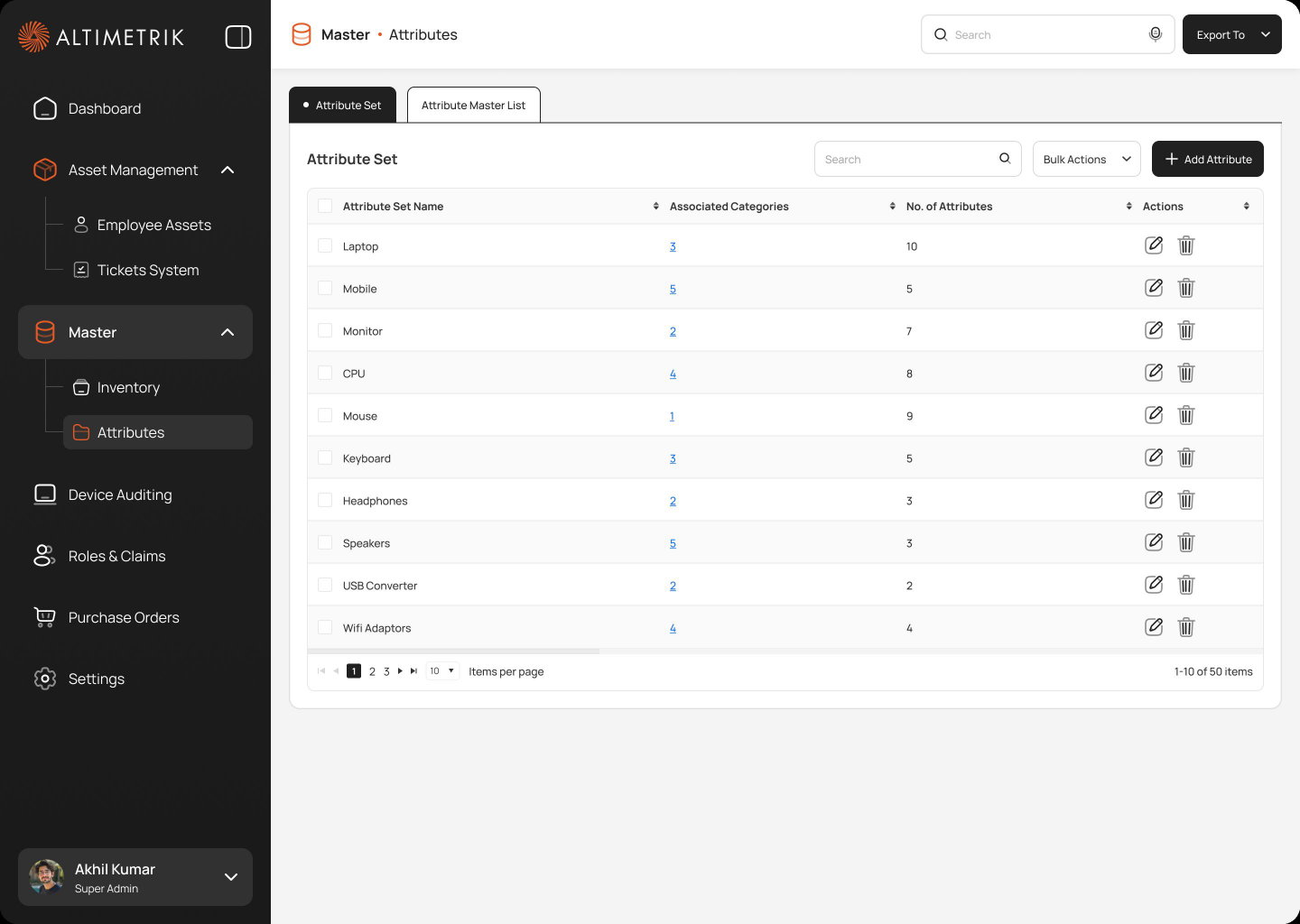
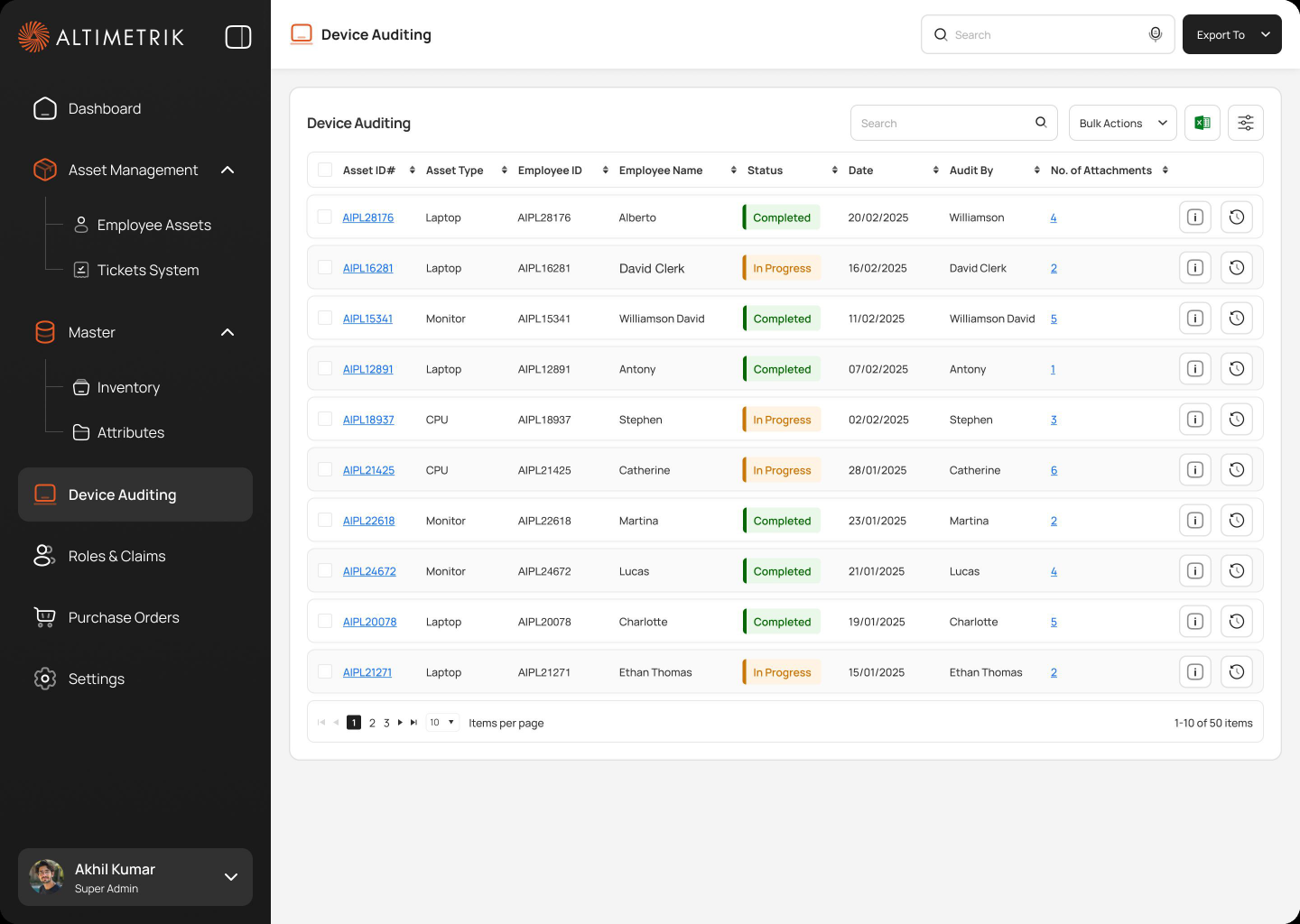
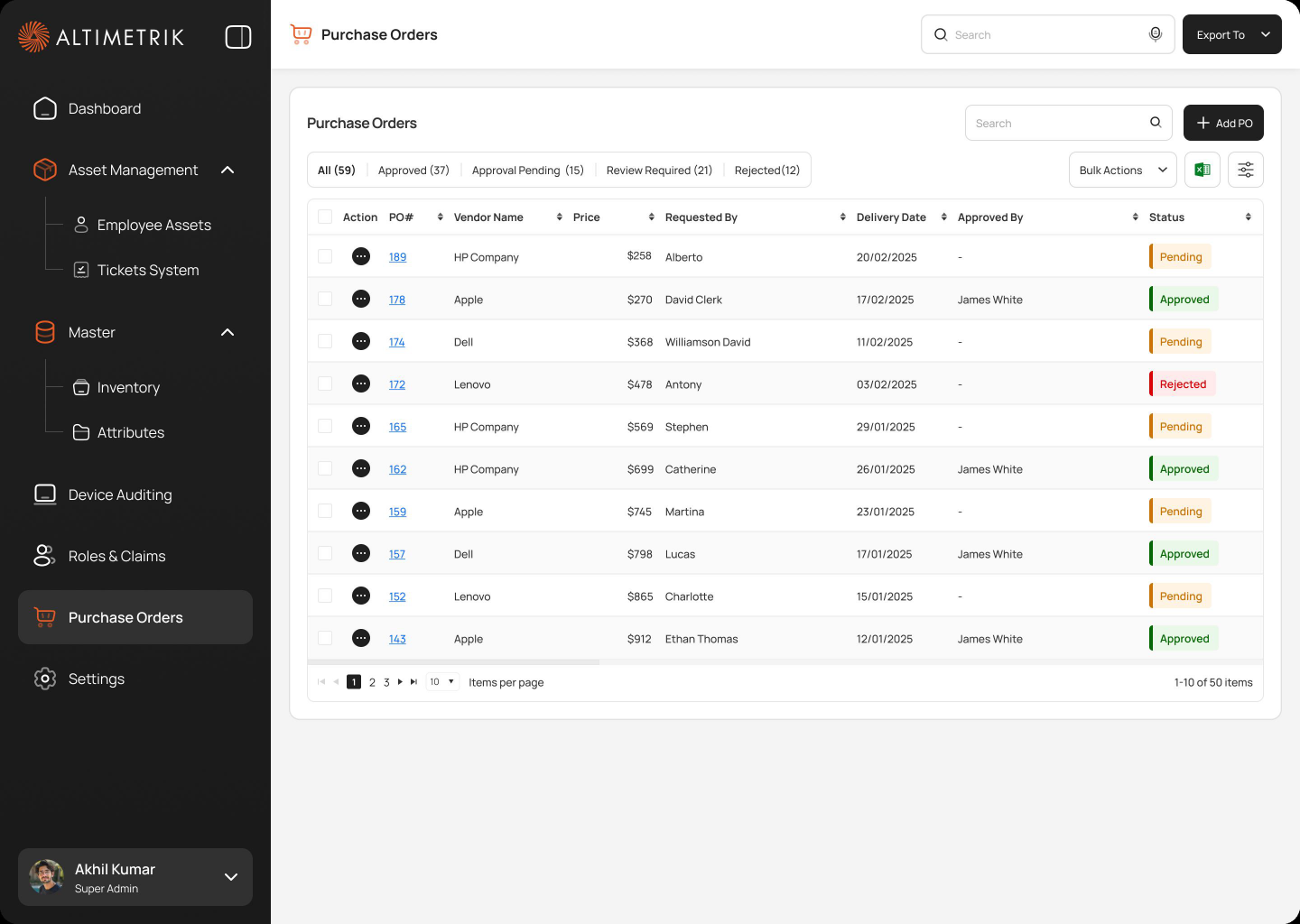
One portal, every asset operation
Inventory, help desk and procurement — unified into a single high-fidelity dashboard for Admin and Super Admin teams.
What changes for IT teams
Shipped to the Admin and Super Admin teams who run day-to-day asset operations — aimed squarely at the costs that made the old workflow painful.
Three lessons I carry forward
The call I’d defend
Unifying the IA. Every “can’t we keep tickets in email?” request was a request to reintroduce the fragmentation the portal existed to remove. Holding that boundary is what made the product coherent.
What I’d do differently
Bring procurement stakeholders in at week one, not after the flows were drawn. Their approval chain reshaped the request flow late — a week of rework one early conversation would have prevented.
What changed in my practice
Success metrics before wireframes. The four measures above were written before the first screen existed — and they settled every scope debate faster than any opinion could.
Clarity brought to complex asset operations
The Asset Management Portal turns fragmented spreadsheets and email threads into one unified system for inventory, ticketing, and procurement.