


MEET HOUR
Unlimited, HD video meetings with no time limit on free — designed for the teachers, doctors and communities that big platforms price out.
Video meetings a non-technical host can run alone
Meet Hour is a low-cost conferencing platform — unlimited HD meetings with no time limit on the free plan — built for the teachers, doctors, coaches and communities that big platforms price out. I designed the web meeting experience end to end: from the pre-join lobby to going live.
Big-platform tools, small-organisation users
A yoga instructor, an online tutor or a faith community lives inside video calls — but mainstream tools cap their free meetings, charge per host, make guests install apps and create accounts, and bury hosting controls in settings mazes.
The whole session happens inside one room
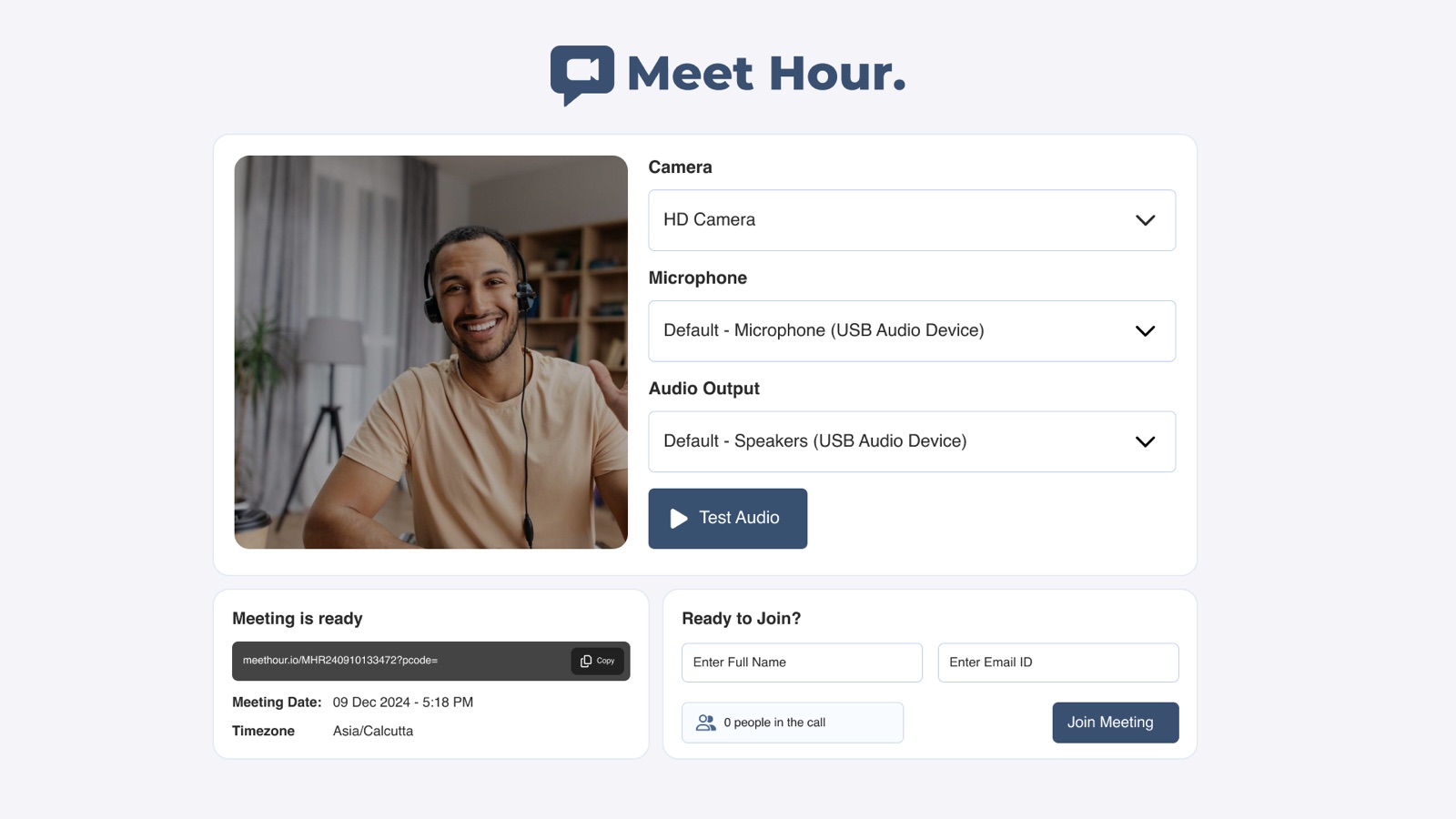
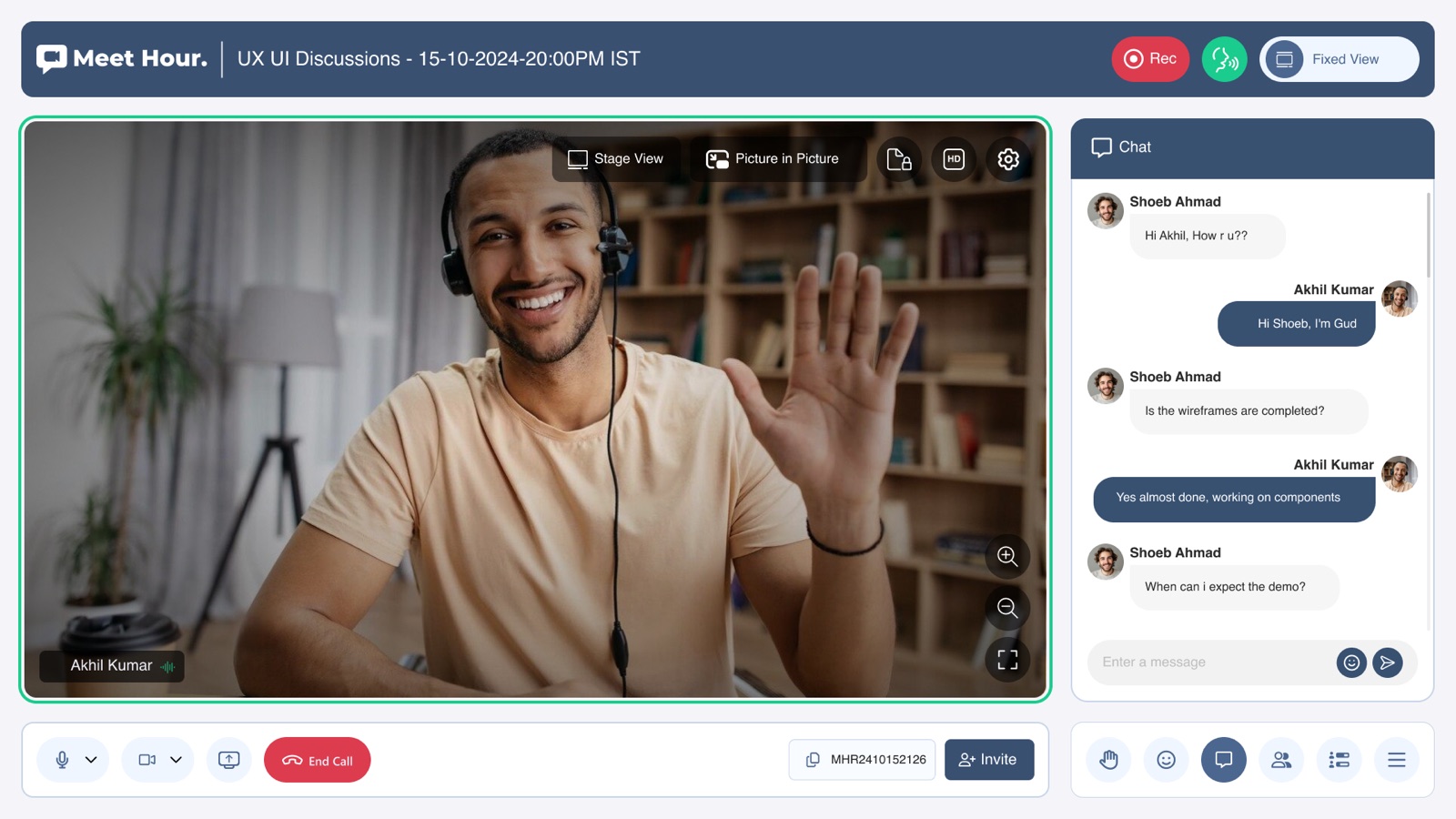
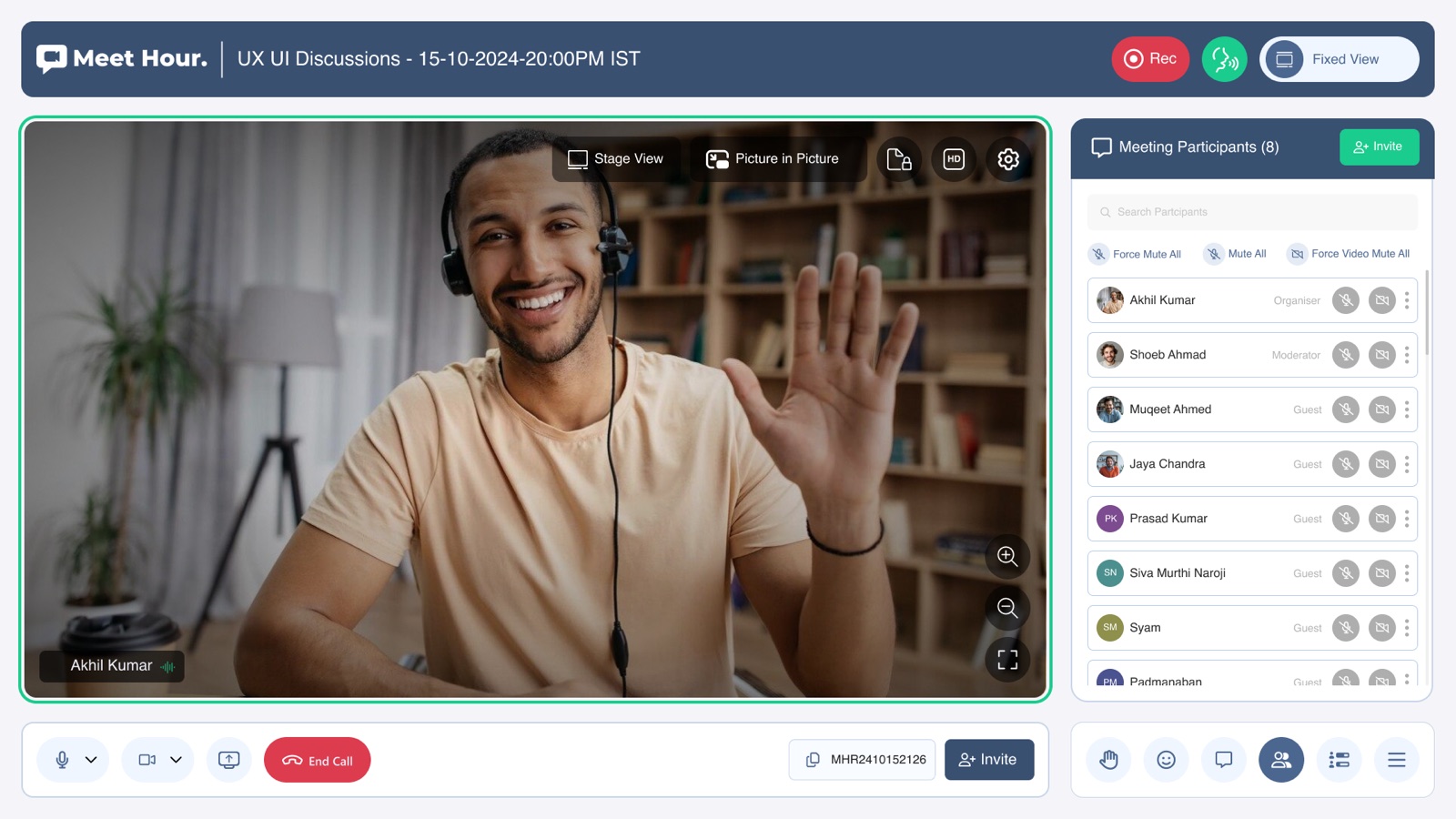
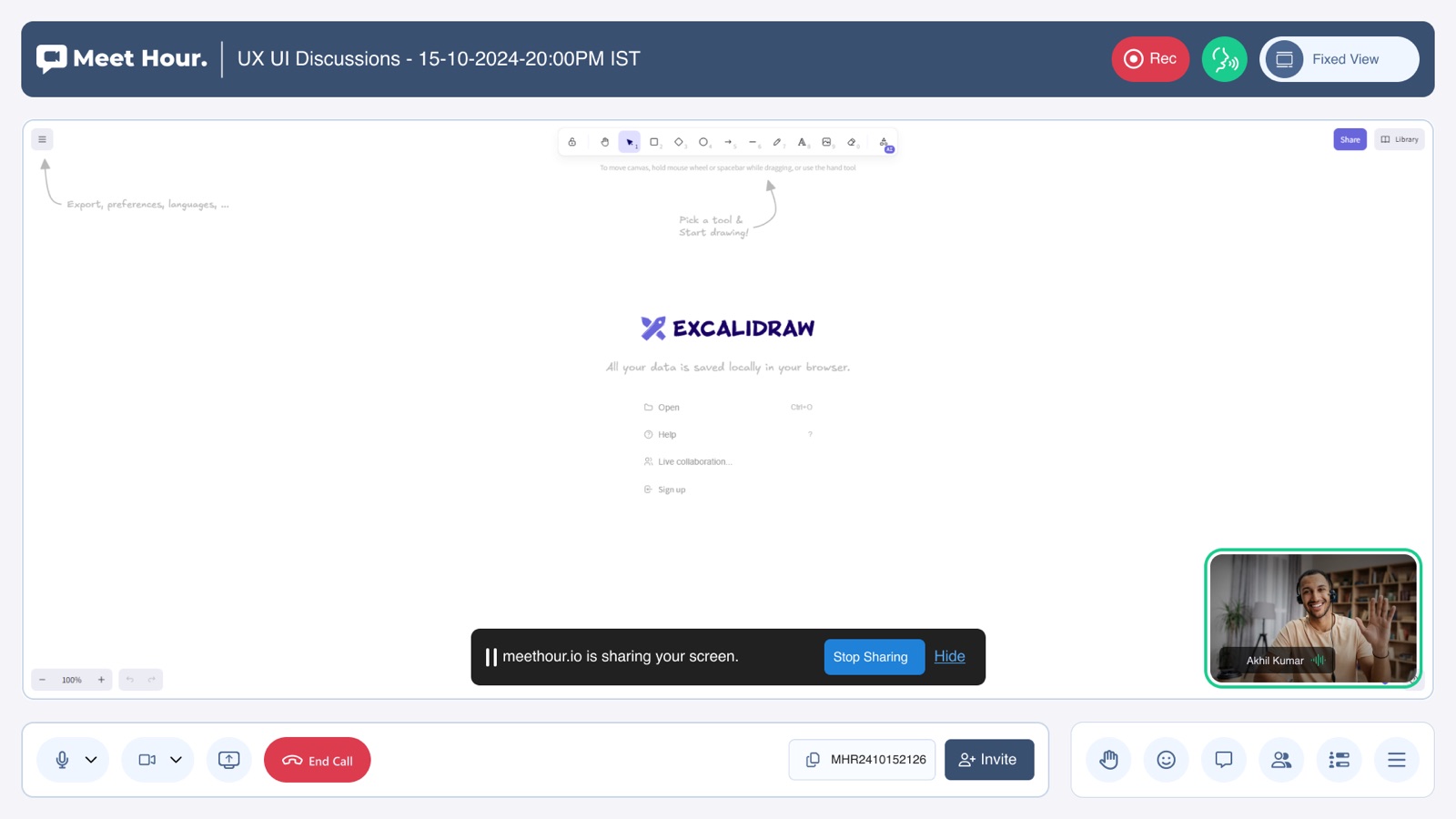
Guests pass a pre-join device check and enter with just a name — then one control bar runs the call: layouts that flex from speaker to gallery, chat and participants beside the video, whiteboard and screen share in the call, and recording or live streaming without leaving it.
Who’s on the call
Meet Hour’s hosts aren’t IT admins — they’re professionals whose whole business happens inside the meeting.
The alerts every small host knows
On mainstream platforms, these are the moments that break a small organisation’s meeting.
Free tiers cap call length — a tutor’s lesson or a service gets cut mid-sentence, every single time.
Enterprise pricing math doesn’t fit a studio, clinic or community that lives on thin margins.
Guests hit installs, accounts and permission prompts — and the first ten minutes of class become tech support.
Recording, streaming and permissions live in different menus — hosts who aren’t IT admins get lost before the call starts.
For a tutor, a doctor or a pastor, the meeting isn’t a feature — it’s their storefront. It has to run unlimited, stay effortless for guests, and never need an IT person in the room.
The agenda we designed against
Before a single screen was drawn, we wrote the meeting agenda — four things every session must get, whoever is hosting it.
No countdown anxiety — free meetings run as long as the class, consultation or service needs.
Camera, mic and speakers checked before the door — join with a name and email, not an install and an account.
Mute-all, roles, whiteboard, screen share, recording — everything a non-technical host needs, one bar away.
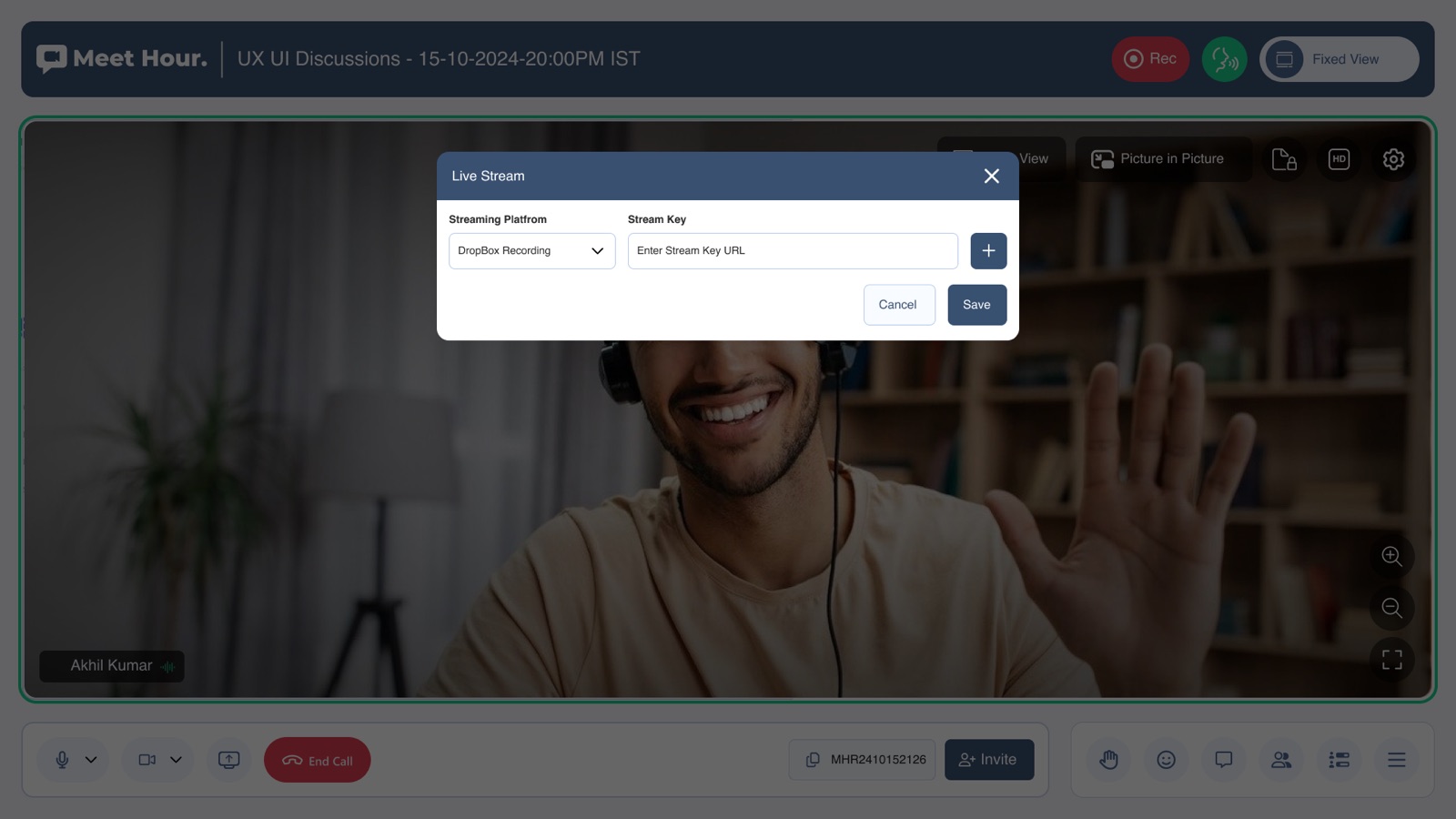
Record the meeting and stream it out live from inside the same call — no separate streaming rig.
Four switches I set — and what they replaced
Guests pass a pre-flight check, not a support call
Camera, mic and speakers verified before the door — then join with just a name and email.
One click fewer — and the first five minutes of every session become “can you hear me?”.
One control bar carries the whole call
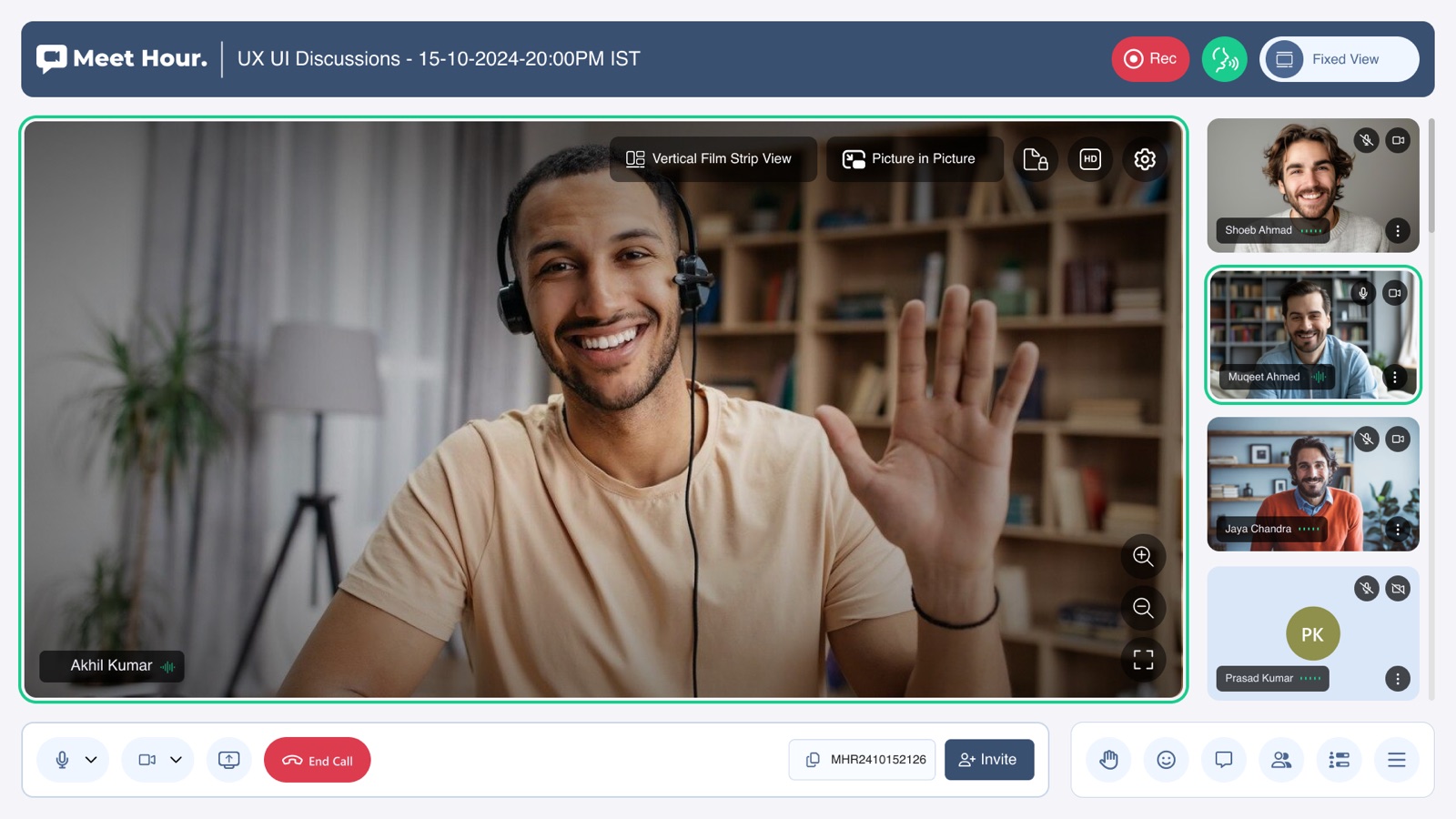
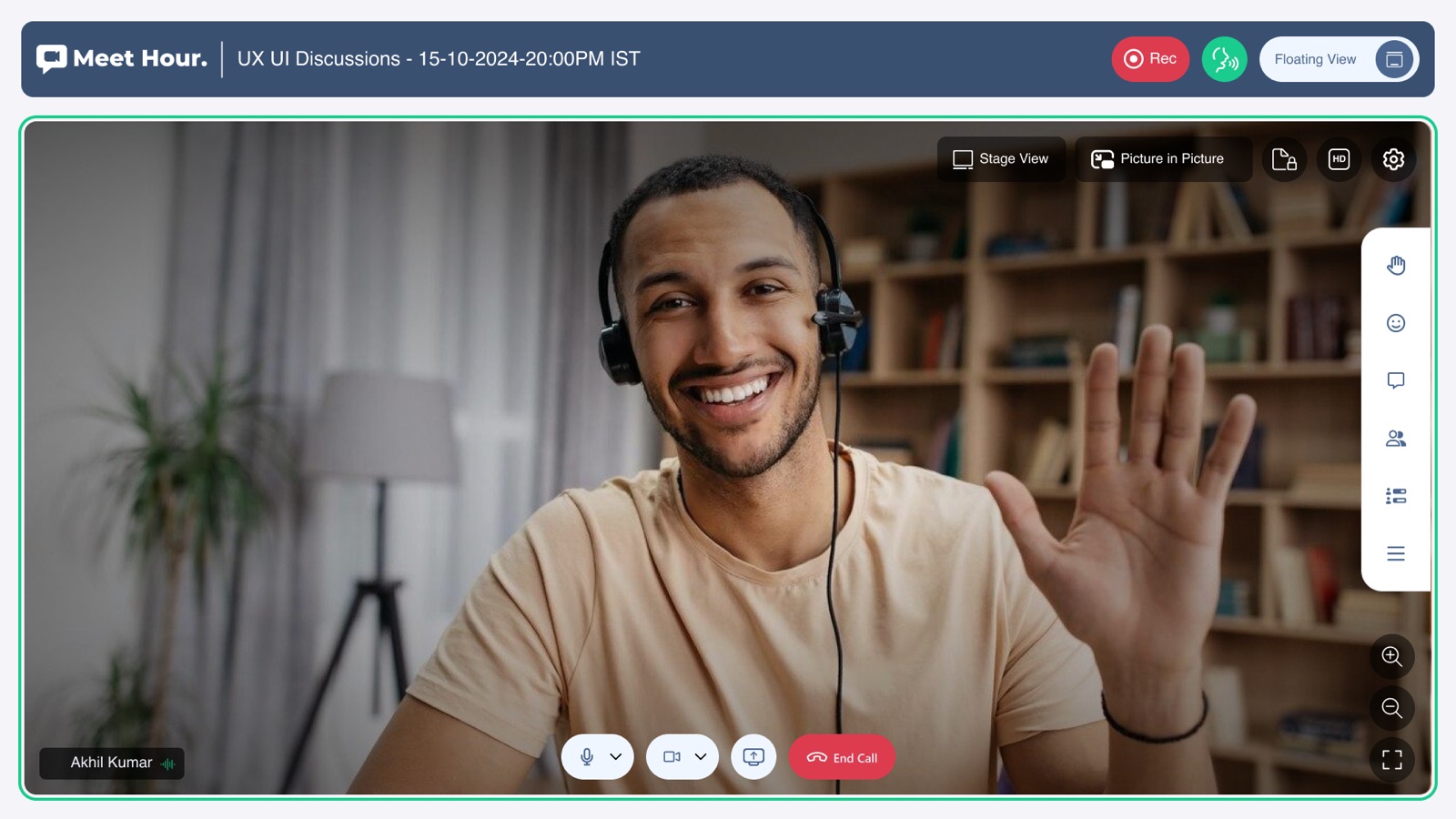
Mic, camera, share and end-call on the left; hand-raise, reactions, chat and participants on the right — always one tap away.
Scales to more features — but buries the six things every host actually does.
Going live is a call control, not a project
Recording sits in the header; going live is one dialog — pick a platform, paste a stream key, save.
The industry default — and exactly why small communities never go live.
The layout bends to the session, not the host
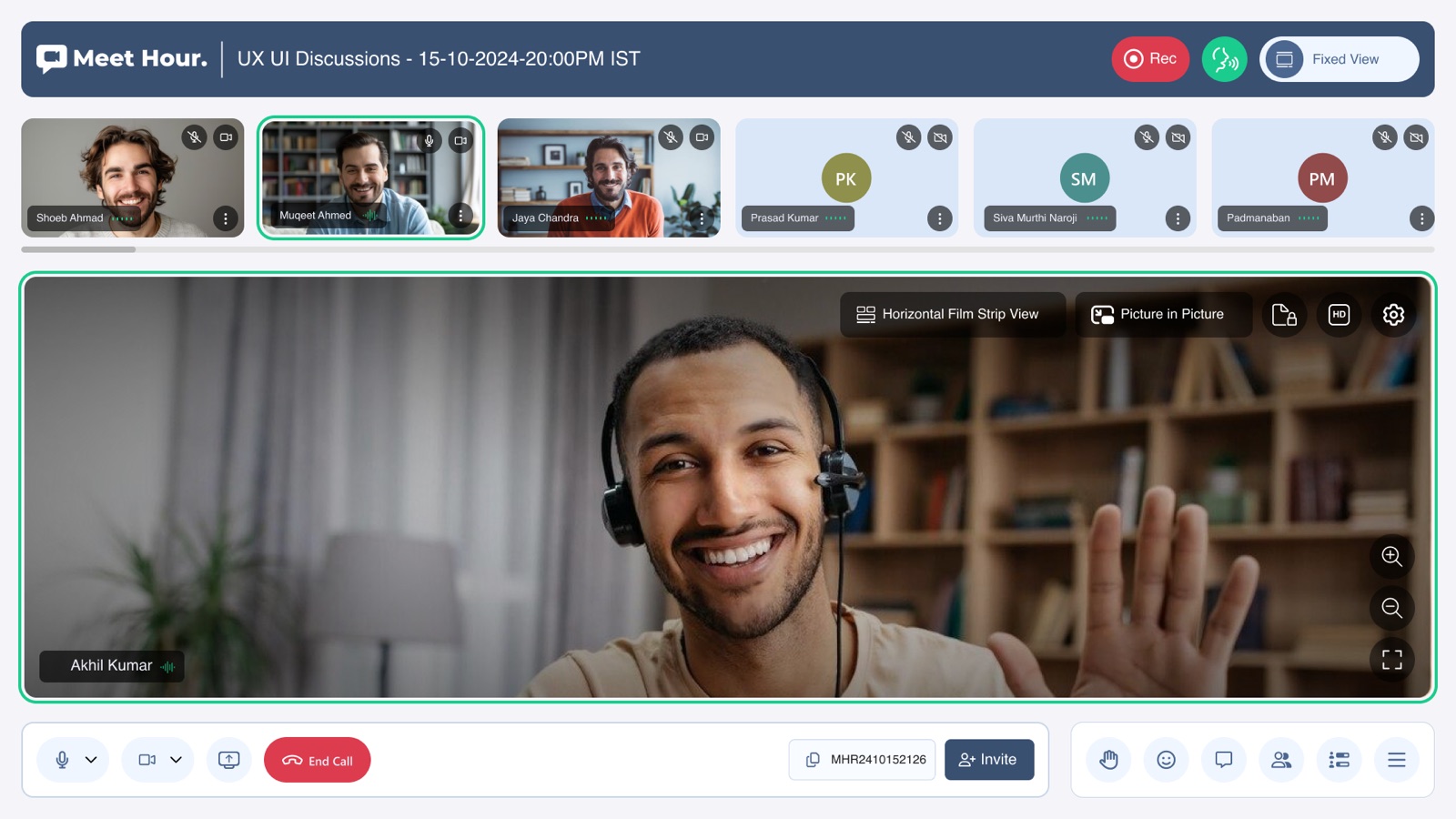
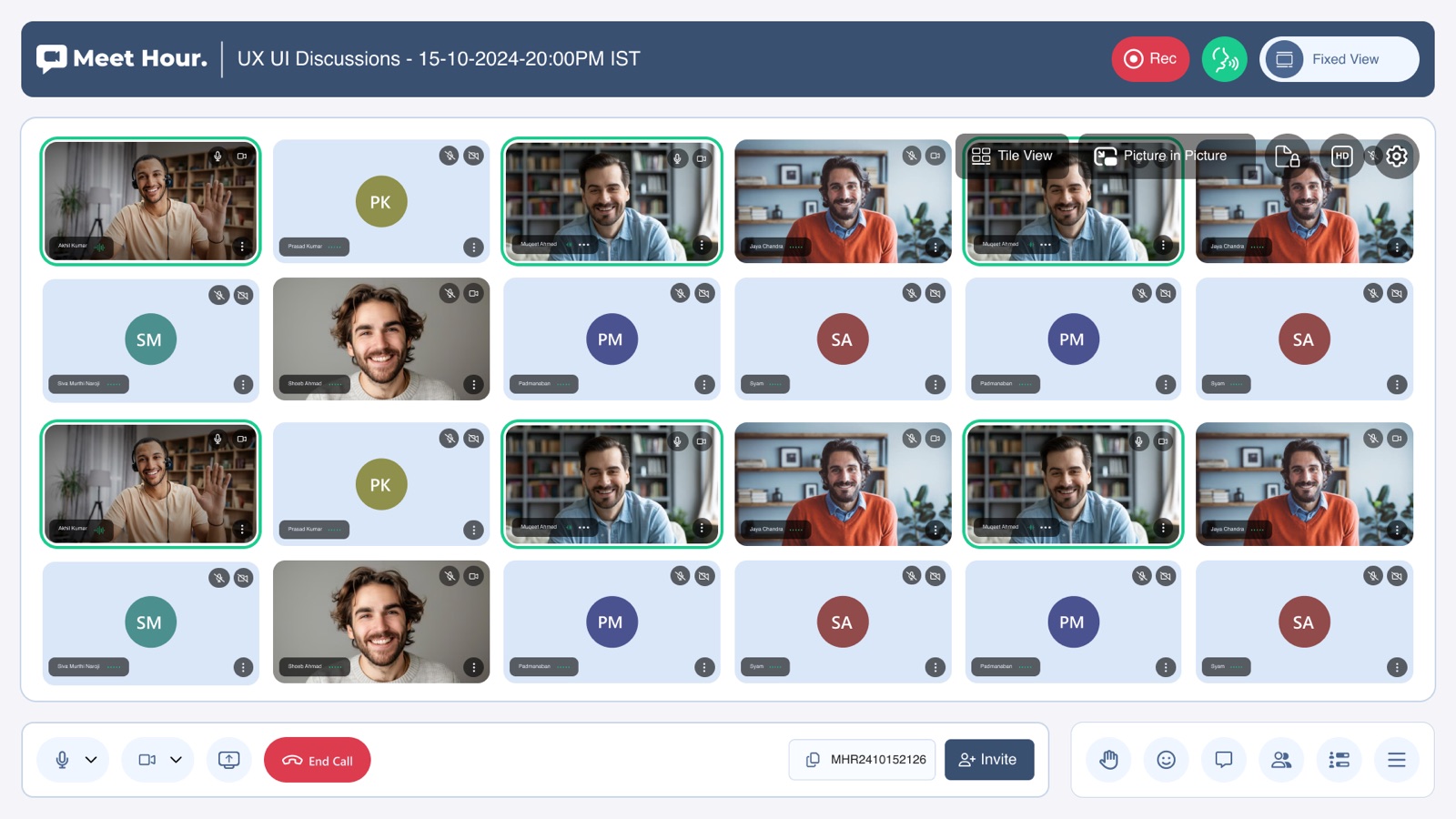
Speaker, gallery, film strips, floating and picture-in-picture switch from the call itself — a lesson, a panel and a town hall each get the right room.
Simpler to build — but a 1:1 consultation and a 50-person class get the same wall of tiles.
One meeting, end to end
The product follows the host through the whole life of a meeting — five moments, one thread.
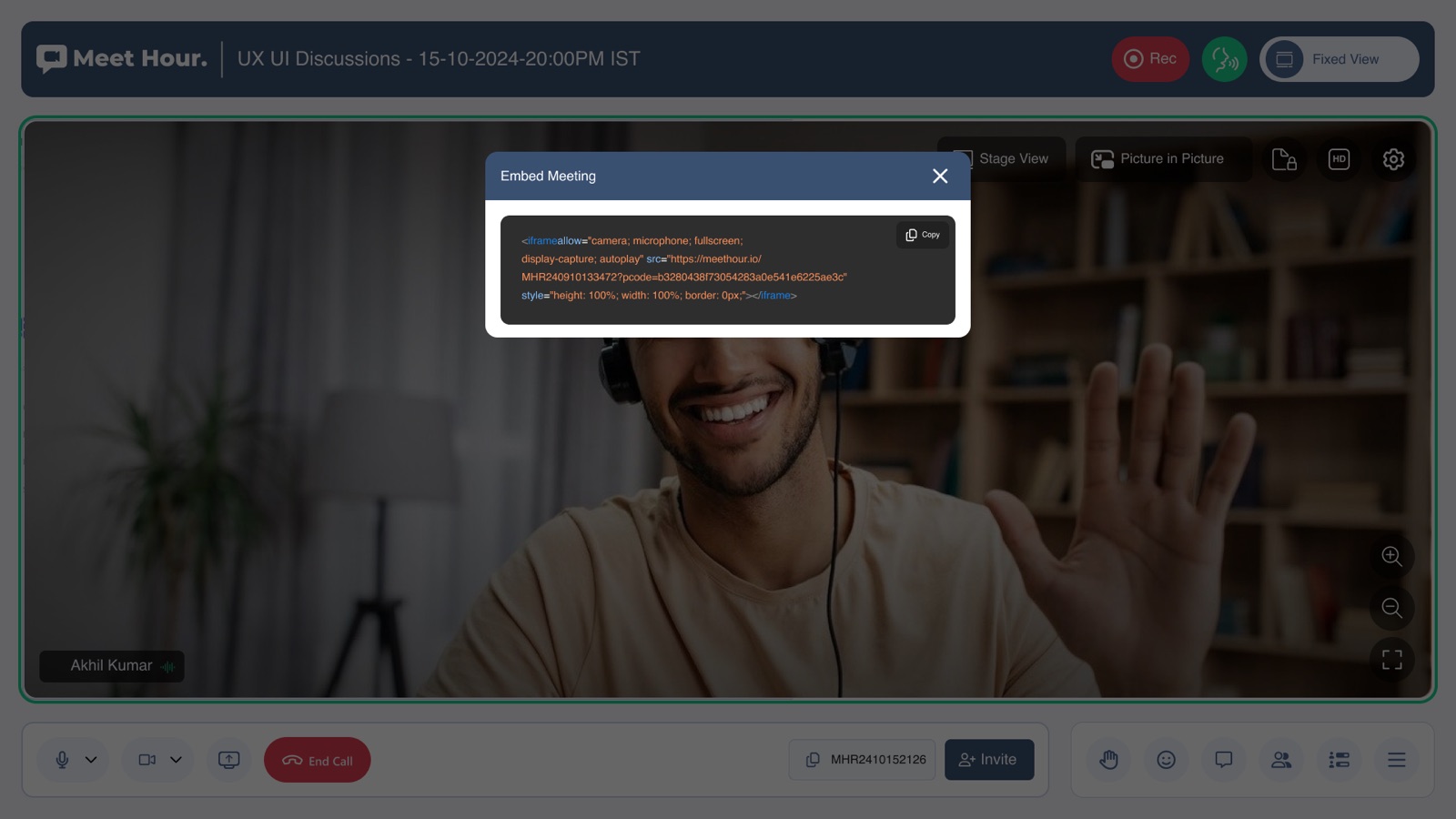
One meeting ID to copy, invite with — or drop into any website as an embed.
Guests test camera, mic and speakers, then join with just a name and email.
Speaker, gallery or floating layouts — one control bar runs it all.
Whiteboard, screen share, chat and hand-raise — beside the video, not over it.
Capture the meeting or stream it out to any platform — without leaving the call.
Ten screens from the call
A walk through the shipped web app — use the arrows to move between screens.
The call summary
Free meetings run unlimited — the countdown toast is gone for good.
One iframe snippet drops the full meeting into any website.
Recording and live streaming built into the call — no second tool.